
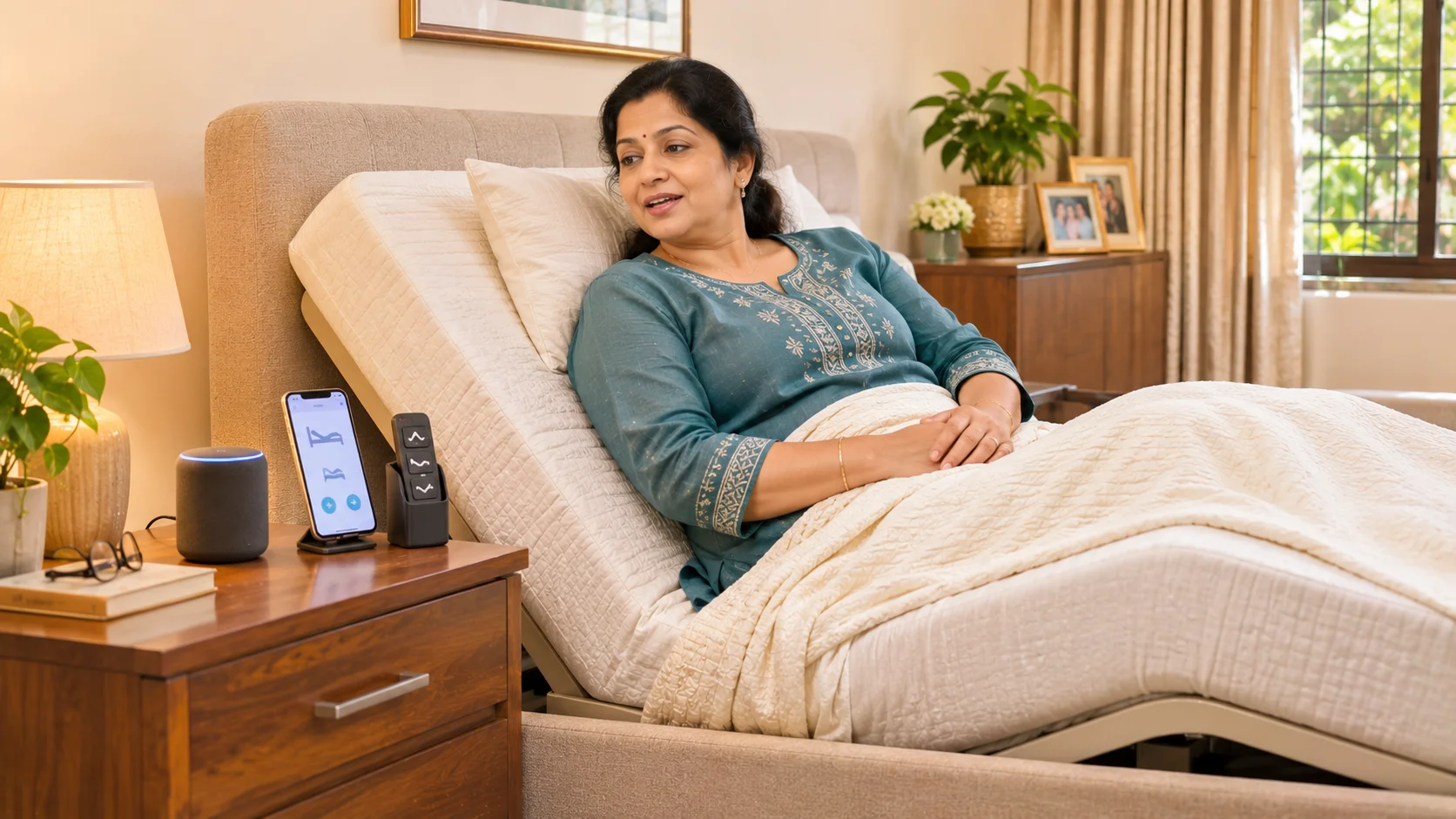
Voice command and a mobile app let you move an electric bed without pressing buttons, which helps people with limited hand strength or movement. Both depend on extra things, such as a phone, a connection and a working voice setup, so the bed should always keep a physical remote as a backup. Ask exactly how the voice and app control work on your model, test them before you buy and keep the remote within reach.
Zero-G describes its beds as smart, voice-controlled recliner systems that can also be operated from a mobile app, in addition to a wireless remote. For many people, an electric bed that responds to a spoken command is a real help, particularly for those with painful hands or limited movement. But smart control has limits, and understanding them keeps you in charge of your bed. This guide explains how it works and how to use it well.
The Three Ways to Control the Bed
| Control Method | How It Works | Best For | Watch Out For |
| Wireless remote | Buttons on a handheld unit | Everyone, and the main control | Flat batteries and a lost remote |
| Mobile app | A phone sends commands to the bed | People comfortable with phones | Needs a charged phone and a working connection |
| Voice command | Spoken instructions move the bed | People with limited hand strength or movement | Accents, background noise and false triggers |
Zero-G’s website lists all three: remote control, voice command and a mobile app. One customer from Mysore, who lives with muscular dystrophy and uses a wheelchair, describes using a wireless remote and a backup app to adjust positions easily. Ask the team for the exact features of the model you are considering.
Who Benefits Most From Voice and App Control
- People with arthritis or weak grip, who find small buttons painful. Our guide on electric beds for arthritis in the hands explains what else helps.
- Wheelchair users, who may find it easier to command the bed than reach a remote.
- People recovering from surgery, who want to avoid stretching and reaching.
- Anyone who likes the convenience of adjusting from a phone or by voice.
Questions to Ask Before You Rely on Smart Control
- How does the voice control work? Ask whether it uses a built-in feature or a separate assistant, and which languages and accents it understands.
- How does the app connect? Ask whether it uses Bluetooth or Wi-Fi, and whether it works without the internet.
- What can the app and voice do? Ask whether they cover every movement and preset.
- What happens if the phone is dead or the connection fails? The remote should still do everything.
- Can I try it before I buy? Test the voice commands in your own voice and the app on your own phone.
Why You Still Need a Backup Remote
Voice and app control rely on things that can fail: a phone that runs out of charge, a connection that drops, a speech system that mishears. A physical remote works every time. Make sure the bed comes with one, keep it in a holder within reach and keep a spare. Our guide to your adjustable bed remote explains presets and shortcuts, which reduce the number of presses further.
Using Voice Control Well
- Speak clearly and consistently, and use the exact commands the system expects.
- Test in your normal bedroom conditions, with a fan or television running.
- Check for false triggers, for example from the television or other people talking.
- Set up presets for common positions, so a single short command does the whole job.
- Make sure the bed stops promptly when you give a stop command.
IMPORTANT NOTE
Smart control is a convenience and not a safety system. Never rely on voice or app control alone, especially for someone with limited movement who cannot reach the remote. Keep the physical remote within reach, and supervise users who are confused or at risk of falling. Our guide on patient safety with electric adjustable beds covers safe operation.
Privacy and Phone Security
Voice systems and apps involve microphones, phones and sometimes wireless networks. Choose a strong password for the app, keep it updated and think about who else in the household can operate the bed. If the bed is in a shared home, a lock-out feature, where available, prevents accidental or unwanted movement.
Smart Control for Seniors and Caregivers
For an older person, simple is usually best. A large-button remote and one or two presets may serve better than a feature-heavy app. Family members can install the app on their own phones to help, especially if they live far away. Our guides on electric beds for seniors living alone and smart recliner bed features explain which features are worth having.
Power Cuts and Connectivity
In a power cut, an electric bed stays at its current angle, and an app or voice system may also stop working if it depends on a home network. Ask about a manual release or battery option, and read our guide to electric beds and power cuts for the questions to put to the supplier.
Voice Control in Indian Homes
- Test in your own language and accent. Ask whether commands work in Indian English, Hindi or your regional language, and try them yourself before you buy.
- Expect background noise. Fans, coolers, television and street sounds can confuse voice control, so test with them running.
- Think about connectivity. Wi-Fi routers stop in a power cut and mobile data can be patchy, so check that the bed works without the internet.
- Keep the remote close. Many older people in India use basic phones, so a simple remote is the main control and the app and voice are extras.
Voice command and a mobile app make an electric bed easier to live with, especially for people with limited hand strength or mobility. They work best as additions to a good physical remote, not replacements for it. Ask how they work, test them in your own home and keep the backup within reach.
Explore our Recliner Beds range or the Electric Hospital Bed collection.
Related Reading