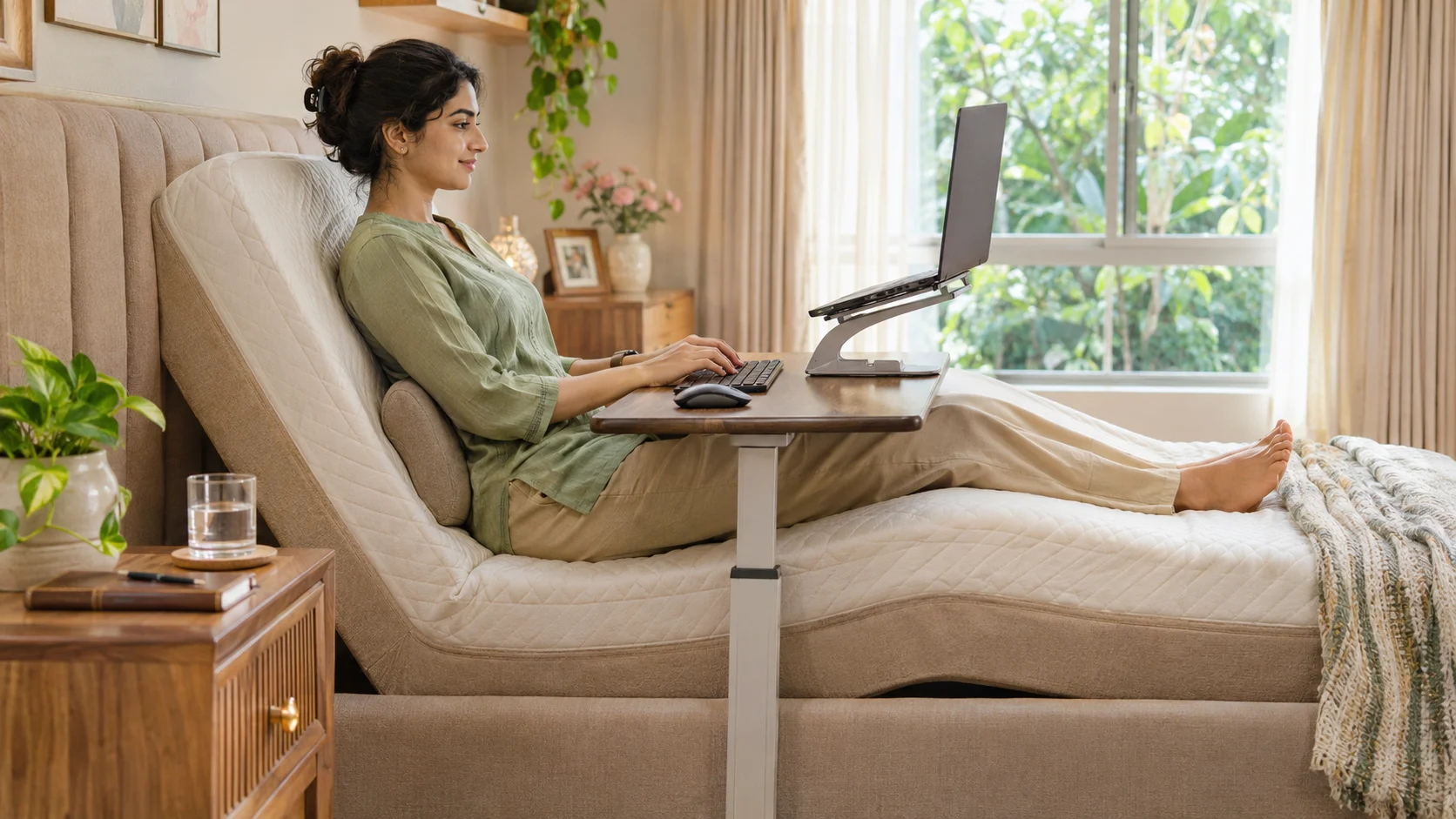
To work or study from a recliner bed without pain, raise the back section to about 45 to 60 degrees, add a slight knee lift, support the lower back, bring the screen up to eye level on a stand or lap desk rather than looking down, keep wrists straight, and take a short break every 30 to 45 minutes. Use the bed as a temporary or occasional workspace, and keep a proper desk for long days.Â
Laptops and tablets have moved work and study into the bedroom, and many people now spend hours propped on pillows with a screen on their lap. By evening the neck is stiff, the lower back aches and the wrists complain. A recliner bed helps, since it holds a supported angle, but only if the screen, the support and the habits are right. Here is how to set it up.
Body Area by Body AreaÂ
| Body Area | Common Problem | Fix |
| Neck | Looking down at a laptop on the lap | Raise the screen to eye level with a stand or lap desk |
| Upper back and shoulders | Slumping forward | Raise the back section so you sit back, not forward |
| Lower back | Hollow behind the lumbar curve | Use a small roll or cushion behind the lower back |
| Hips and thighs | Pressure from sitting flat | Add a slight knee lift so the hips are supported |
| Wrists and hands | Bent wrists on a low keyboard | Keep forearms supported and wrists straight |
| Eyes | Strain from a close, bright screen | Look away often and keep the room lit |
Set the Bed AnglesÂ
- Raise the back section to about 45 to 60 degrees, so you sit back in support rather than leaning forward.Â
- Add a slight knee lift to stop sliding and to ease pressure on the lower back.Â
- Place a small cushion or roll behind the lower back if there is a gap.Â
- Use one slim pillow behind the head, not a tall stack that pushes the chin forward.Â
- Check that your feet and legs are comfortable and not hanging or twisted.Â
Our guide to recliner bed angles for reading, TV, meals and sleep explains the angles for different activities.Â
Bring the Screen UpÂ
The biggest cause of neck pain in bed is a screen that sits too low. A laptop on the lap forces the head down and the shoulders forward. A bed table, lap desk or laptop stand that lifts the screen close to eye level lets you keep the head upright. A separate keyboard and mouse help, since they let the screen stay high while your hands stay low.Â
Protect Your Wrists and EyesÂ
- Support the forearms on a pillow or the desk, so the wrists stay straight.Â
- Take short breaks to stretch the hands, wrists and fingers.Â
- Follow a simple eye rule: every 20 minutes, look at something about 6 metres away for 20 seconds.Â
- Light the room so the screen is not the brightest thing around you.Â
- Keep the screen at a comfortable distance, about an arm’s length.Â
Take Breaks and Change PositionÂ
Even a good position becomes tiring when held for hours. Every 30 to 45 minutes, stand up, walk, stretch the neck and shoulders and change the angle of the bed slightly. Set a timer if you lose track. People with back pain may find that alternating between the working angle and a gentler Zero Gravity rest relieves strain, as explained on our back pain page.Â
Keep Sleep and Work SeparateÂ
Working in bed can blur the line between rest and work, and some people find it harder to fall asleep in a bed they associate with deadlines. If you can, work in a chair for the main part of the day and use the bed for temporary or flexible work. At night, switch off screens and return the bed to a gentle sleeping position, as in our guide to finding the best sleeping position.Â
IMPORTANT NOTEÂ
Persistent neck or back pain, numbness, tingling in the arms or legs, or pain that wakes you at night needs a medical review. A recliner bed supports comfortable positions but does not treat a medical condition. If you are recovering from an injury or surgery, follow your doctor’s or physiotherapist’s advice on how long to sit.Â
Who Benefits MostÂ
- People with a temporary injury, who cannot sit at a desk for long.Â
- Students who read and write in the evening.Â
- People with back pain who need to change position often.Â
- Anyone recovering at home who wants to stay a little active.Â
Common MistakesÂ
- Working with the laptop flat on the lap for hours.Â
- Piling pillows behind the neck instead of using the back section.Â
- Skipping the knee lift, so you slide down and slump.Â
- Never taking breaks, because the bed feels comfortable.Â
- Working until you fall asleep, which spoils sleep quality. Our list of recliner bed mistakes covers more.Â
A recliner bed can be a comfortable place to read, study or work, provided you bring the screen up, support your back and keep moving. Set the angle, add a knee lift, protect your wrists and eyes and take breaks. Then the bed supports your day instead of paying you back with aches.Â
Explore our Recliner Beds range or the Zero Gravity collection.Â
Related ReadingÂ