
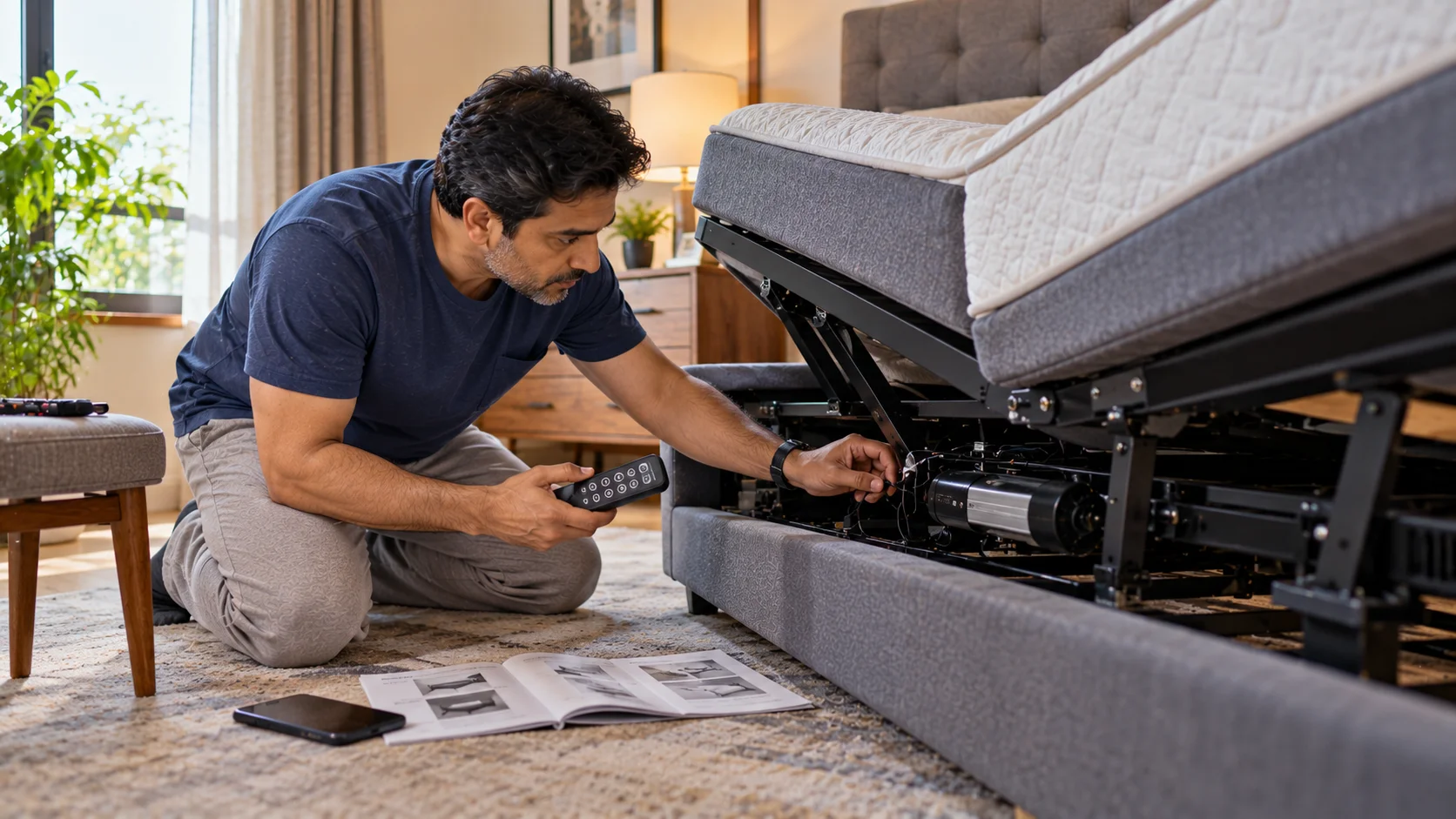
Most adjustable bed problems fall into one of four categories: the remote not responding, the motor running but not moving the frame, uneven or lopsided elevation, and unusual noise. Nearly all of these have a simple cause and a free fix before you need to call for service. Here’s exactly what to check, in the order that solves the problem fastest.
An adjustable bed that suddenly stops behaving the way it should is frustrating, especially once you’ve gotten used to a position that genuinely helps your back. Before assuming a part has failed, it’s worth working through a short checklist, since the large majority of reported problems trace back to something simple a connection, a setting, or a mattress interaction rather than an actual mechanical fault.
The Four Most Common Problems and Their Fixes
| Problem | Most Likely Cause | The Fix |
| Remote not responding at all | Dead or low batteries, or the remote has lost its pairing with the base | Replace batteries first; re-pair the remote following the manual if that doesn’t fix it |
| Motor hums but the frame doesn’t move | Weight exceeding capacity, an obstruction underneath, or a tripped safety cutoff | Check for anything blocking the frame’s movement; let the motor rest for a few minutes and try again |
| One side rises faster than the other (dual-motor beds) | Motors slightly out of sync, often after a power cut mid-movement | Use the flat-return or reset function if your bed has one; otherwise return fully to flat and retry |
| New grinding, clicking or buzzing noise | Debris in the motor track, a loose panel, or a mattress edge catching on the frame | Check and clear the motor track; tighten visible panel screws; confirm the mattress isn’t overhanging the hinge point |
| Bed moves but stops partway | Safety sensor triggered by an obstruction, or a weak power connection | Clear anything near the frame’s moving parts; check the power cable is fully seated |
Start Here: The Five-Minute Check Before Anything Else
- Check the power connection first. A partially seated plug is the single most common cause of beds that “just stopped working” overnight.
- Replace the remote batteries, even if they seem fine, since a weak battery can cause intermittent response rather than total failure.
- Look underneath the frame for anything resting against the moving sections a stored item, a phone charger cable, or bedding that’s slipped down.
- Return the bed to fully flat if it’s currently stuck at an angle, then try the problematic movement again from a known starting position.
- Note exactly when the problem happens always, only at a certain angle, only after being still for hours since this detail matters if you do need to contact support.
If the Remote Is the Problem
Remote issues are usually the easiest to resolve. After fresh batteries, check whether the remote has a pairing or sync button, since some models can lose connection to the base after a power interruption. If a second remote is available, test it against the same base to confirm whether the fault is in the remote itself or the base unit this single test narrows the problem down immediately and saves a lot of guesswork.
If the Motor Runs but Nothing Moves
This is almost always a safety feature doing its job rather than a fault. Most motors include a weight or resistance cutoff that stops movement if something is obstructing the frame, which protects both the motor and anything in the way. Clear the area fully, including under the bed, and check that the mattress isn’t jammed against a side rail or headboard that’s restricting the hinge point. If the bed has been in one position for a very long time, occasionally the motor needs a brief rest period before it will accept a new command wait five minutes and try again before assuming a deeper fault.
If One Side Rises Unevenly on a Dual-Motor Bed
Dual-motor frames occasionally fall slightly out of sync with each other, most often after a power cut interrupted a movement partway through. Most beds correct this automatically the next time they’re returned fully to flat, since this resets both motors to the same reference point. If the unevenness persists after a full flat-return cycle, this is one of the few issues worth contacting your seller about directly, since it can indicate a genuine motor calibration issue rather than something you can resolve manually.
If You Hear New Noise
A little motor sound during movement is normal; a new grinding, clicking or buzzing that wasn’t there before usually isn’t. Check the motor track for dust or debris, particularly if the bed is in a room without regular cleaning underneath it. Confirm all visible panel screws are snug, since minor vibration over months can loosen them. Finally, check that your mattress isn’t overhanging the frame’s hinge points, since fabric or foam catching on a moving part creates exactly this kind of noise and can also prematurely wear the mattress itself, a point covered in our guide on adjustable bed mattress care, cleaning, maintenance and lifespan.
When It’s Time to Contact Support
If you’ve worked through the checks above and the problem persists, it’s worth contacting your seller rather than continuing to troubleshoot indefinitely particularly for anything involving a burning smell, visible damage to the power cable, or a motor that won’t stop once started. Note your model, approximate purchase date, and exactly what you’ve already tried, since this gets you to a resolution faster than starting the conversation from scratch. Our guide on adjustable bed warranty and after-sales support covers what to expect from a good service response.
Most adjustable bed problems are simpler than they first appear, and working through power, batteries, obstructions and a flat-return cycle resolves the large majority of them without any cost. Keep a note of what you’ve checked, and you’ll either fix it yourself in a few minutes or have exactly the right information ready if you do need to call for support.
Explore our Adjustable Bed Frame range, or read our adjustable bed buying checklist if you’re comparing warranty and support terms before your next purchase.
Related Reading: